5-Minute Quickstart
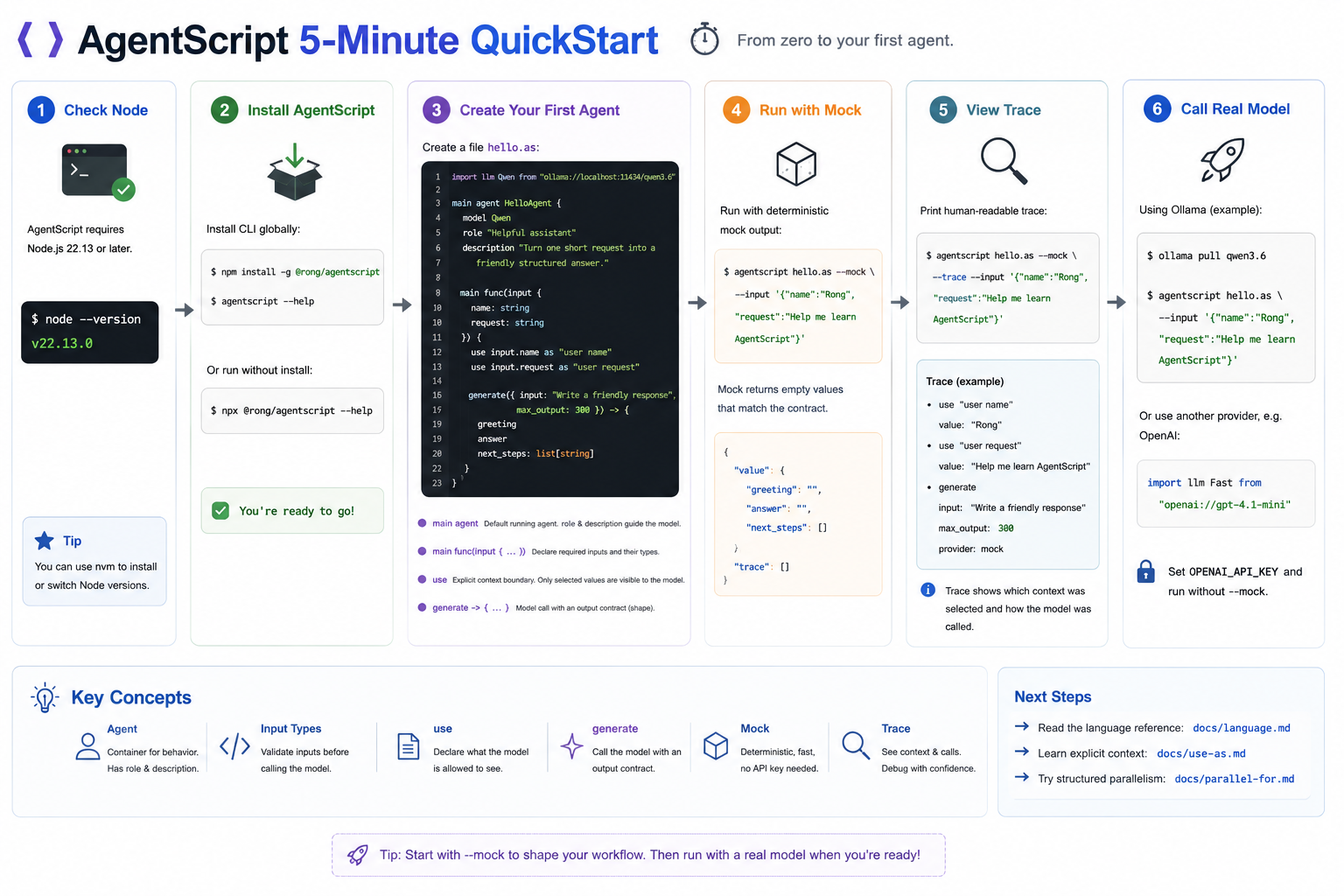
This tutorial starts from a fresh terminal and ends with your first AgentScript
agent. You do not need an API key for the first run because we will use
--mock.
1. Check Node
AgentScript requires Node.js 22.13 or newer:
node --version
2. Install AgentScript
Install the CLI globally:
npm install -g @rong/agentscript
agentscript --help
You can also skip global installation and run with npx:
npx @rong/agentscript --help
3. Create Your First Agent
Create a file named hello.as, or open the repository copy:
../../../tutorials/hello.as.
import llm Qwen from "ollama://localhost:11434/qwen3.6"

main agent HelloAgent {
    model Qwen
    role "Helpful assistant"
    description "Turn one short request into a friendly structured answer."

    main func(input {
        name: string
        request: string
    }) {
        use input.name as "user name"
        use input.request as "user request"

        generate({ input: "Write a friendly response", max_output: 300 }) -> {
            greeting
            answer
            next_steps: list[string]
        }
    }
}
There are four important ideas in this tiny program:
main agentmarks the agent that runs by default. Inside it,roleanddescriptiontell the model what kind of assistant it should behave like.main func(input { ... })declares the input shape your agent expects. In this example the agent requires anameand arequest, so bad or missing input can be caught before the model call.useis the context boundary. Variables can exist in your program without being shown to the model; only values selected withuseenter the prompt.generateis the model call. The block after->is the output contract, so AgentScript knows the structured shape it should return.
4. Run It Locally With Mock Output
Run the agent with deterministic mock output:
agentscript hello.as --mock --input '{"name":"Rong","request":"Help me learn AgentScript"}'
Expected shape:
{
  "value": {
    "greeting": "",
    "answer": "",
    "next_steps": []
  },
  "trace": []
}
The mock provider returns empty values that match the contract. That makes it useful for checking syntax, contracts, and workflow shape before calling a real model.
5. Inspect the Trace
Ask AgentScript to print a readable trace:
agentscript hello.as --mock --trace --input '{"name":"Rong","request":"Help me learn AgentScript"}'
The trace shows the selected context labels and the generate call. This is the
core workflow: keep program data in normal variables, then explicitly choose
what the model sees.
6. Call a Real Model
The example uses an Ollama URI. To run it against a local model, start Ollama and pull the model named in the script:
ollama pull qwen3.6
agentscript hello.as --input '{"name":"Rong","request":"Help me learn AgentScript"}'
You can also change the import to another provider, such as OpenAI:
import llm Fast from "openai://gpt-4.1-mini"
Then set OPENAI_API_KEY before running without --mock.
Next Steps
- Read the language reference:
../language.md - Learn explicit context selection:
../use-as.md - Try structured parallel work:
../parallel-for.md