TypeScript and Node Interop
AgentScript is meant to describe agent workflow and model context, not to
replace the JavaScript and TypeScript ecosystem. When a step is ordinary
programming work, you can call an explicitly allowed Node built-in module or an
installed npm package through import tool.
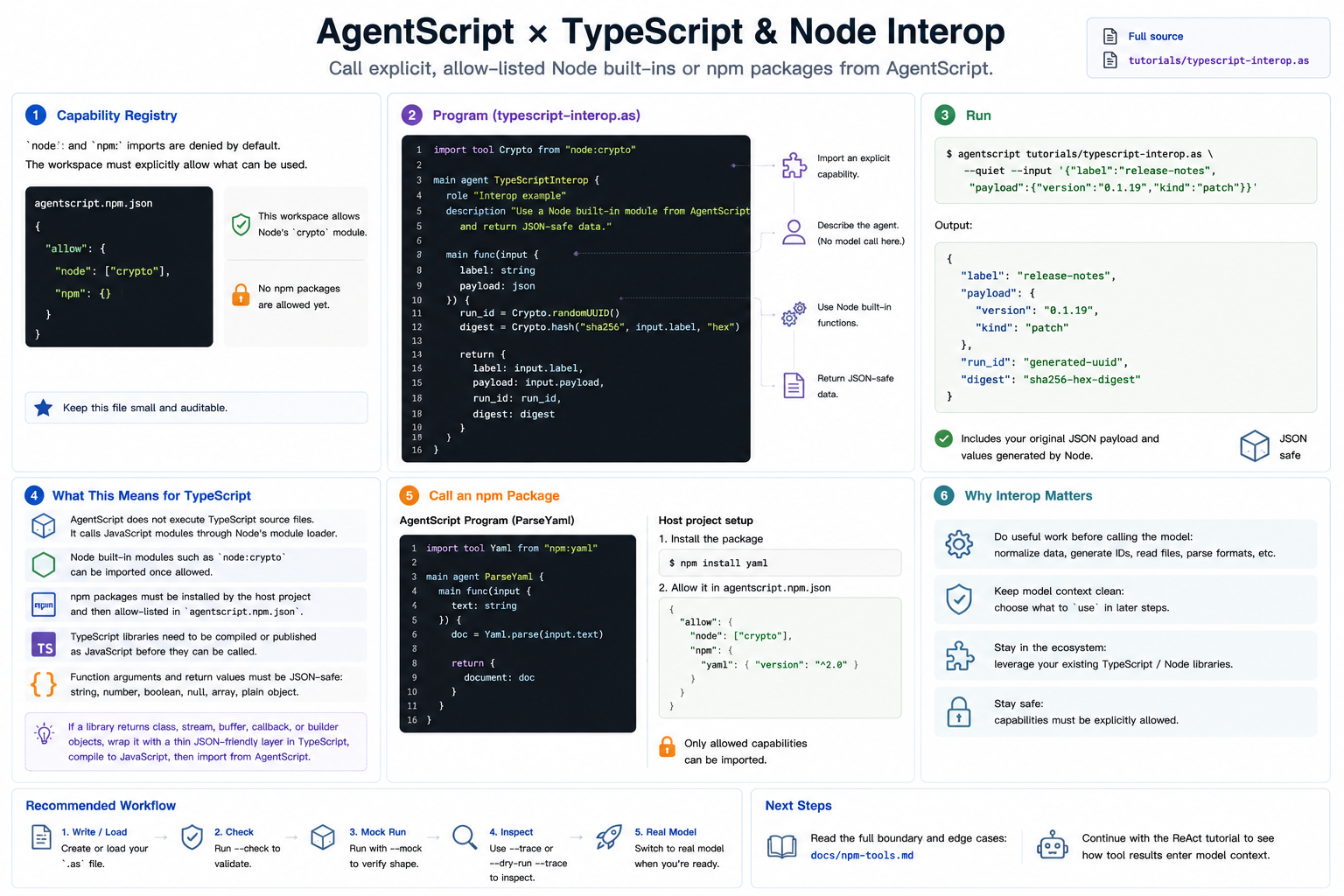
This tutorial uses a Node built-in module so it runs in this repository without installing anything extra.
Full source: ../../../tutorials/typescript-interop.as
1. The Capability Registry
node: and npm: imports are default-deny. The workspace must opt in through
agentscript.npm.json:
{
  "allow": {
    "node": ["crypto"],
    "npm": {}
  }
}
That file is intentionally small and auditable. It says this workspace allows
AgentScript programs to call Node's crypto module, and no npm packages yet.
2. The Program
Create typescript-interop.as, or open the repository copy at
tutorials/typescript-interop.as:
import tool Crypto from "node:crypto"

main agent TypeScriptInterop {
    role "Interop example"
    description "Use a Node built-in module from AgentScript and return JSON-safe data."

    main func(input {
        label: string
        payload: json
    }) {
        run_id = Crypto.randomUUID()
        digest = Crypto.hash("sha256", input.label, "hex")

        return {
            label: input.label,
            payload: input.payload,
            run_id: run_id,
            digest: digest
        }
    }
}
There is no generate call here. This is deliberate: interop is useful even
before a model is involved. You can normalize data, compute IDs, read files, or
call a JSON-friendly library, then decide which results should enter model
context in a later agent.
3. Run It
agentscript tutorials/typescript-interop.as --quiet --input '{"label":"release-notes","payload":{"version":"0.1.19","kind":"patch"}}'
The output contains the original JSON payload plus values produced by Node:
{
  "label": "release-notes",
  "payload": {
    "version": "0.1.19",
    "kind": "patch"
  },
  "run_id": "generated-uuid",
  "digest": "sha256-hex-digest"
}
4. What This Means for TypeScript
AgentScript does not execute TypeScript source files directly. It calls JavaScript modules through Node's module loader. In practice, that means:
- Node built-ins such as
node:cryptocan be imported directly when allowed. - npm packages can be imported after the host project installs them and lists
them in
agentscript.npm.json. - TypeScript libraries work after they are compiled or published as JavaScript.
- Function arguments and return values must be JSON-safe: strings, numbers,
booleans,
null, arrays, and plain objects.
If a package exposes classes, streams, buffers, callbacks, or builder objects, wrap it with a tiny JSON-friendly function in TypeScript, compile it to JavaScript, and import that wrapper from AgentScript.
5. Calling an npm Package
For an installed package, the shape is the same:
import tool Yaml from "npm:yaml"

main agent ParseYaml {
    main func(input {
        text: string
    }) {
        doc = Yaml.parse(input.text)

        return {
            document: doc
        }
    }
}
The host project would install yaml and authorize it:
{
  "allow": {
    "node": ["crypto"],
    "npm": {
      "yaml": { "version": "^2.0" }
    }
  }
}
Next
Read the full reference for the edge cases: ../npm-tools.md.
After that, continue with the ReAct tutorial to see tool results flow into
model context.