Plan-and-Execute
Plan-and-Execute is the first application pattern after learning control flow. The shape is simple:
- Create a short plan.
- Execute the independent steps.
- Synthesize the step results.
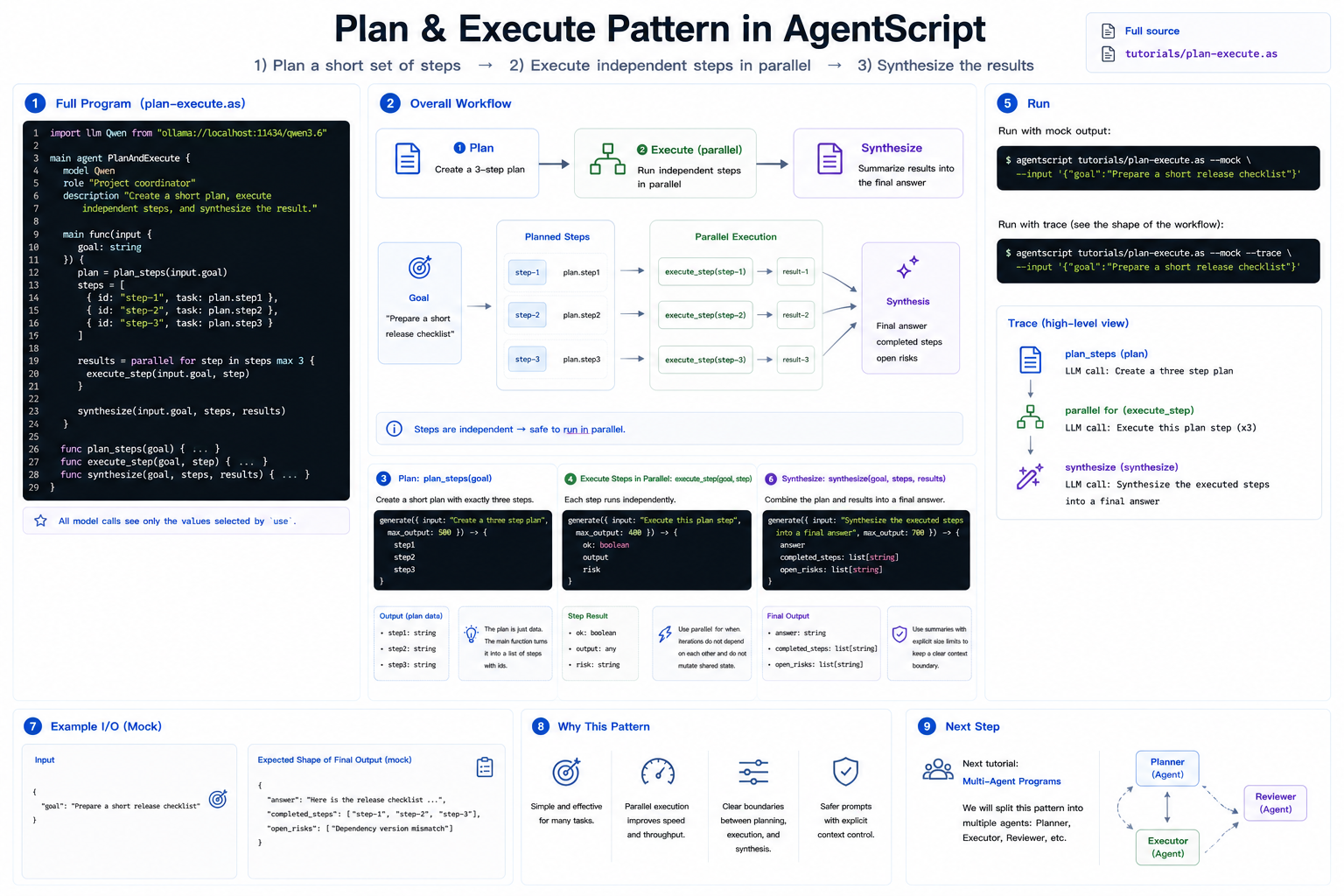
This version uses one agent with helper functions. Multi-agent Plan-and-Execute comes later, after the multi-agent tutorial.
Full source: ../../../tutorials/plan-execute.as
1. The Complete Program
Create plan-execute.as, or open the repository copy at
tutorials/plan-execute.as:
import llm Qwen from "ollama://localhost:11434/qwen3.6"

main agent PlanAndExecute {
    model Qwen
    role "Project coordinator"
    description "Create a short plan, execute independent steps, and synthesize the result."

    main func(input {
        goal: string
    }) {
        plan = plan_steps(input.goal)
        steps = [
            {
                id: "step-1",
                task: plan.step1
            },
            {
                id: "step-2",
                task: plan.step2
            },
            {
                id: "step-3",
                task: plan.step3
            }
        ]

        results = parallel for step in steps max 3 {
            execute_step(input.goal, step)
        }

        synthesize(input.goal, steps, results)
    }

    func plan_steps(goal) {
        use goal as "goal"

        generate({ input: "Create a three step plan", max_output: 500 }) -> {
            step1
            step2
            step3
        }
    }

    func execute_step(goal, step) {
        use goal as "goal"
        use step as "plan step"

        generate({ input: "Execute this plan step", max_output: 400 }) -> {
            ok: boolean
            output
            risk
        }
    }

    func synthesize(goal, steps, results) {
        use goal as "goal"
        use steps.summary max 1k as "planned steps"
        use results.summary max 2k as "step results"

        generate({ input: "Synthesize the executed steps into a final answer", max_output: 700 }) -> {
            answer
            completed_steps: list[string]
            open_risks: list[string]
        }
    }
}
2. Plan
plan_steps is a normal function with a model call inside it. It receives the
goal and returns three structured fields:
generate({ input: "Create a three step plan", max_output: 500 }) -> {
    step1
    step2
    step3
}
The plan is data. Once it returns, the main function turns it into a list of steps with ids.
3. Execute Steps in Parallel
Each step can be executed independently, so this pattern uses parallel for:
results = parallel for step in steps max 3 {
    execute_step(input.goal, step)
}
This is the key connection to the previous tutorial. parallel for works well
when each iteration has all the input it needs and does not mutate shared state.
4. Synthesize
The final function sees the original goal, a summary of the planned steps, and a summary of the step results:
use steps.summary max 1k as "planned steps"
use results.summary max 2k as "step results"
This keeps the final prompt bounded while preserving the useful shape of the workflow.
5. Run It
Run with mock output:
agentscript tutorials/plan-execute.as --mock --input '{"goal":"Prepare a short release checklist"}'
Print the trace to see the plan call, the parallel for, and the final
synthesis:
agentscript tutorials/plan-execute.as --mock --trace --input '{"goal":"Prepare a short release checklist"}'
Next
The next tutorial introduces multi-agent programs. The same Plan-and-Execute shape can later be split into separate planner, executor, and reviewer agents.